
“Zero-touch deployment” shows up in a lot of managed mobility marketing, usually as a promise: devices arrive ready to use, no IT involvement required. It’s a real and valuable capability, but the phrase glosses over how much actually has to happen correctly, in the right order, before a device reaches someone’s hands in a genuinely “zero-touch” state for the end user.
This article breaks down what zero-touch deployment actually requires, the technical building blocks behind it, and why the companies that get it right treat it as a designed process rather than a checkbox.
What zero-touch deployment means
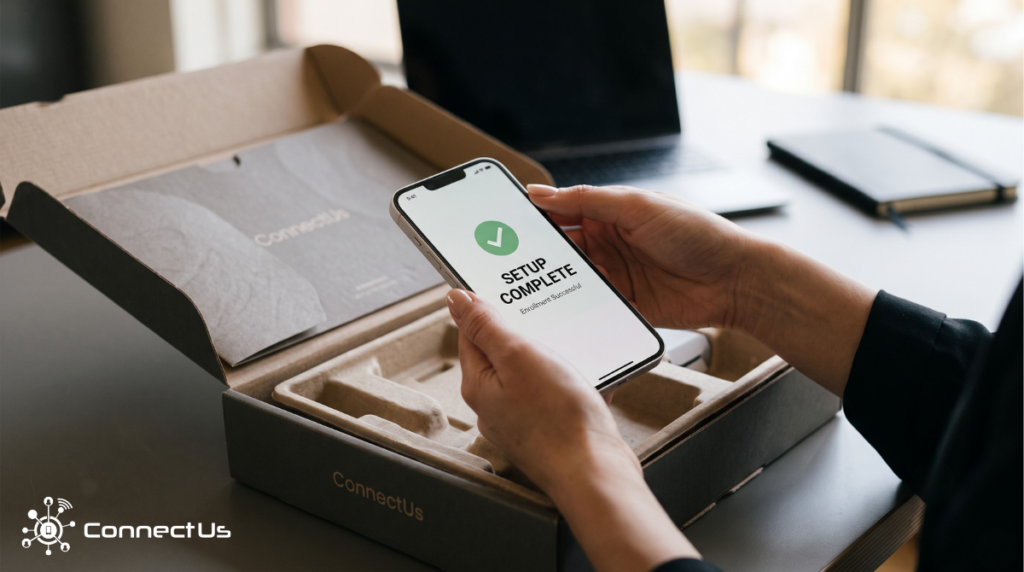
Zero-touch deployment describes a device rollout where an end user, an employee, a technician, a clinician, a driver, receives a device that is already configured, enrolled in mobile device management (MDM), loaded with the correct apps and settings, and ready to use, without IT having to physically handle or manually set up that specific unit.
MDM (mobile device management) is software that lets an organization remotely configure, monitor, secure, and manage a fleet of devices, pushing settings, enforcing security policies, installing apps, and, if needed, wiping a lost or stolen device remotely. Zero-touch deployment depends entirely on MDM enrollment happening automatically, before a device is in a user’s hands, rather than as a manual step someone has to remember to do later.
The “zero-touch” part refers to the end user’s experience and, ideally, IT’s involvement per device, not to the absence of a process. A lot of deliberate work happens upstream so that the moment of unboxing looks effortless.
The technical mechanisms that make it possible
Zero-touch deployment isn’t a single feature, it’s built on enrollment programs that device manufacturers provide specifically for this purpose:
- Apple’s Automated Device Enrollment (ADE), managed through Apple Business Manager or Apple School Manager, lets organizations link purchased iPhones, iPads, and Macs to a device management service so those devices automatically enroll in MDM and become supervised the moment they’re activated, without anyone touching a settings menu.
- Android Enterprise Zero-Touch Enrollment works similarly for Android devices: on first boot, a device checks whether it’s been assigned an enterprise configuration and, if so, automatically provisions itself and downloads the correct device policy controller app.
Both mechanisms rely on devices being registered to an organization’s account before they reach an end user, which means the enrollment step has to happen during procurement and staging, not after a device has already shipped.
The steps that actually happen before “zero-touch”
For an end user to experience a device as truly ready-to-go, several things have to happen upstream, in sequence:
- Procurement: sourcing the right devices, in the right quantities, from the right carriers or manufacturers.
- Staging: registering each device to the organization’s MDM and enrollment program (ADE or Android zero-touch) so it will self-enroll on activation.
- Configuration: pushing the correct apps, network settings, security policies, and restrictions that match how that device will actually be used.
- Kitting: physically preparing the device for shipment, cases, chargers, asset tags, and any custom branding, bundled so the device arrives as a complete, ready-to-use kit rather than loose parts.
- Fulfillment: shipping the finished kit to the correct person or location, on a timeline that matches when it’s actually needed.
Skip or rush any one of these, and the “zero-touch” experience breaks down somewhere: a device that arrives configured but without the right case, a device that’s kitted beautifully but never got enrolled, or a device that’s fully ready but shipped to the wrong location.
Why this matters more as a company scales
At small volume, none of this is especially hard. A company issuing ten laptops a month can get away with manual setup, because ten is a number a single IT person can handle without a repeatable process.
The problem shows up at scale. A company deploying hundreds or thousands of devices, opening new locations, hiring a large field team, refreshing an aging fleet, hits a wall where manual, one-at-a-time setup simply can’t keep pace with how fast the business needs devices in hand. Every device that requires a manual touch is a device that adds to a backlog, and backlogs don’t shrink on their own when hiring or store openings keep accelerating.
This is the actual argument for zero-touch deployment: it’s about whether a company’s device rollout process can scale at the same rate as the rest of the business, or whether it becomes the bottleneck that quietly caps growth.
What to check before assuming your process is “zero-touch”
- Does device enrollment happen automatically at the manufacturer/carrier level (via ADE or Android zero-touch), or does someone on your team still have to manually enroll each device?
- Are devices configured with the correct settings before they ship, or does configuration happen after they land at each site?
- Is kitting (cases, chargers, branding, asset tags) part of the same process as configuration, or a separate step that sometimes gets missed?
- If your device volume doubled next quarter, would your current process hold up, or would it require proportionally more manual labor?
If the honest answer to that last question is “it would require more people,” the process isn’t actually zero-touch yet, it’s just not visibly broken at the current volume.
The connection to managed mobility services
This is the core of what a managed mobility provider like ConnectUs does: running procurement, staging, configuration, kitting, fulfillment, and MDM enrollment as one connected process rather than five separate handoffs. When those steps are designed together, devices genuinely arrive ready to use, and a company’s ability to grow stops being limited by how fast internal IT can configure hardware by hand.
If your team is evaluating whether your current device rollout process can handle the next stage of growth, reach out to ConnectUs to talk through what a zero-touch deployment built for your scale would actually look like.
August 3, 2026.